

 Billing
 Inventory
 Online ordering
 Reporting
 Menu
Menu CRM
CRM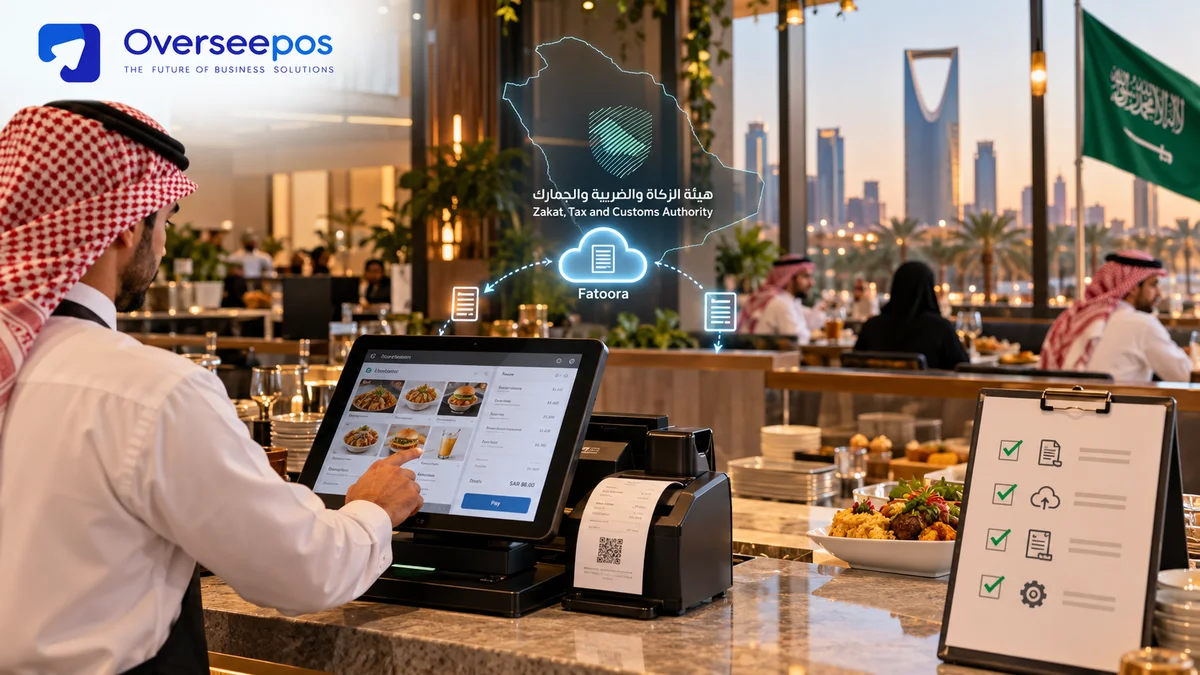
 Overseepos
 27 Oct 2026
ZATCA Wave 25 introduces additional Saudi businesses to Phase 2 e-invoicing. Your restaurant is in scope if your revenue for any year from 2022 to 2025 was over the VAT threshold of SAR 187,500. The connection to the Fatoora platform of ZATCA's invoicing system must be done no later than 1 February 2027. Now look into your ZATCA account for a notice, and then verify that your POS is “Phase 2” ready.
The third wave of the ZATCA goes to medium-sized restaurants, cafés and bakeries, and the countdown to e-invoice is getting closer. From 27 October 2026, you have 97 days, about 14 weeks, until 1 February 2027. In this guide, you will find out who is covered, what changes you can expect at your counter, and what you need to do every month until go-live.
Wave 25 key facts
| Item | Detail |
|---|---|
| Announced | 24 July 2026 |
| Threshold | VAT-subject revenue above SAR 187,500 |
| Revenue years counted | Any one of 2022, 2023, 2024 or 2025 |
| Integration deadline | No later than 1 February 2027 |
| What changes | Your invoicing system must connect to ZATCA’s Fatoora platform, use ZATCA’s required invoice format, and include extra invoice fields |
| Source | ZATCA news release, 24 July 2026 |
What is ZATCA Wave 25?
Wave 25 is the 25th group of taxpayers that ZATCA has selected for Phase 2 of e-invoicing, called the Integration Phase.
Phase 1 (the Generation Phase) ended with handwritten and spreadsheet invoices. It required a proper system that creates and stores e-invoices with a QR code. Phase 2 goes further. Your system must connect to ZATCA’s Fatoora platform, issue invoices in a specific format, and add extra fields.
ZATCA rolls Phase 2 out in waves and says it informs each wave at least six months before its integration date. Wave 24 covered revenue above SAR 375,000, with a 30 June 2026 deadline. Wave 25 halves the threshold to SAR 187,500, so many small food businesses are now in scope.
Is my restaurant in Wave 25? A 60-second self-check
Your restaurant is in Wave 25 if the revenue you charged VAT on went above SAR 187,500 in any one of 2022 to 25. Work through these steps:
- Check your revenue. Analyze your VAT-subject sales for each year from 2022 to 2025. Did any single year pass SAR 187,500? If the answer is yes, go to step 2. If not, you are outside Wave 25, but later waves may reach you, so stay alert.
- Check your history. Were you already told to integrate in an earlier wave? If yes, you should already be connected, so ask your vendor to confirm. If no, Wave 25 applies to you.
- Do not use today’s sales as a shortcut. One strong year is enough, even if sales are lower now.
- Check what you use today.
- Handwritten or Excel invoices: not compliant even with Phase 1. Fix this first.
- A basic POS that only prints a QR code: this is a Phase 1 setup. Plan an upgrade.
- A POS that says it is Phase 2 ready: ask for proof and test it.
Running several branches? Ask your tax advisor how your branches are registered, because the revenue test applies to the taxpayer, not to each till.
What is the Wave 25 deadline?
The deadline is 1 February 2027. ZATCA says it will notify targeted taxpayers to integrate with Fatoora by no later than that date.
From 27 October 2026, that is 97 days, or about 14 weeks. Here is the catch. ZATCA says it informs each wave at least six months ahead. Six months before 1 February 2027 is 1 August 2026 (our calculation from ZATCA’s rule), so Wave 25 notices should already be out. Do not wait for a letter. Check your ZATCA account and registered contact details today.
Also avoid planning for January. Registration, testing, staff training, and vendor queues all take time, and every other Wave 25 business is rushing at the same moment.
What does Phase 2 change for restaurants day to day?
Your POS stops being a standalone till and becomes a system that sends your invoices to ZATCA.
| Area | Phase 1 (Generation) | Phase 2 (Integration) |
|---|---|---|
| What you do | Issue e-invoices with a QR code from a compliant system | The same, but your system must be registered and connected to Fatoora |
| What the system does | Creates and stores the invoice | Creates it in ZATCA’s format, adds required fields, and submits it |
| Company (B2B) invoices | Issued and stored | Sent to ZATCA for clearance before you give them to the customer |
| Walk-in (B2C) receipts | Issued and stored | Reported to ZATCA |
| What ZATCA sees | Nothing in real time | Your invoices as they are cleared or reported |
ZATCA’s Wave 25 notice confirms the Fatoora connection, the specific format, and the extra fields. The clearance and reporting split comes from ZATCA’s e-invoicing rules as summarised by compliance providers, so confirm it on zatca.gov.sa.
- Dine-in and takeaway: All receipts are to be from the connected system. Do not have any handwritten backup bills.
- Delivery apps: consult with a tax advisor on the correct way to invoice the app orders and ensure you are capturing the orders in your POS.
- Catering and company orders: ensure that the company information of the buyer is recorded, and clearance may take a small amount of time.
- Split bills, discounts and tips: the totals and the VAT have to add up on the invoice. Test each one.
- Refunds and cancellations: credit note (for original sale). It is important that staff do not delete or edit a completed sale.
- Multi-branch: all branches and devices will need to be established and connected. Review reports: branch by branch.
- Closing: Review end-of-day sales report and correct items that were rejected prior to the next shift.
Wave 25 compliance checklist for restaurants and cafés
- Confirm your VAT-subject revenue for 2022, 2023, 2024, and 2025 against SAR 187,500.
- Please check your ZATCA account for a Wave 25 notice.
- Ensure your VAT registration and business information are accurate and up-to-date.
- Identify one owner of the project.
- List all the till/s, tablet/printer/branch where invoices are issued.
- Check with your POS vendor if it will support Phase 2 integration.
- Make an internet/off-line plan with each branch.
- Test normal sales, discounts, split bills, and tips.
- Refunds and credit notes for tests.
- Test an invoice of a company (B2B).
Countdown plan to 1 February 2027
| When | What to do |
|---|---|
| Now to 15 November | Confirm you are in scope. Check your ZATCA account. Name an owner. Ask your vendor for Phase 2 status in writing. |
| 16 November to 15 December | Choose or upgrade your system. Complete registration and onboarding. Install on every device and branch. |
| 16 December to 15 January | Run a full test: sales, discounts, refunds, company invoices, offline mode, every branch. Train all staff. Fix every rejected invoice. |
| 16 to 31 January | Go live at least two weeks early. Check daily reports every night. Keep your vendor’s support number at the counter. |
| 1 February 2027 | Deadline. You should be running smoothly, not testing for the first time. |
5 Common Mistakes To Avoid
- Waiting for a notification. The six-month rule means yours may already be out. Look now.
- Assuming a QR code means you are ready. A QR code on receipts is Phase 1. Phase 2 needs a live connection to ZATCA.
- Testing only simple sales. Refunds, credit notes, discounts, and split bills are where problems show up first.
- Forgetting delivery apps and company orders. They follow different paths from walk-in sales.
- Having no offline plan. If the internet drops at Friday dinner rush, your team needs to know exactly what happens next.
How To Choose A ZATCA-Compliant POS: 12 Questions To Ask Your Vendor
- Do you support Phase 2 integration with Fatoora today, and can you show it live?
- Have you onboarded restaurants for a recent wave? Can I speak to one?
- Who handles registration and onboarding, and how long does it take?
- How are refunds and credit notes linked to the original invoice?
- How does company (B2B) clearance work at the counter?
- What happens when the internet drops? How are invoices stored and sent later?
- How do you handle delivery app orders?
- What happens when ZATCA rejects an invoice, and who tells me?
- Can I see reports per branch and per device?
- Are screens and receipts available in Arabic and English?
- Do I need new hardware, and which printers and tablets do you support?
- What is the total cost, including setup, support, hardware, and updates when ZATCA changes its rules?
ZATCA compliance is only one factor when selecting a POS system for your restaurant. You should also consider billing efficiency, inventory management, Arabic language support, online ordering, branch reporting, and long-term operating costs. To compare the features that matter most to growing businesses, explore our guide to the best POS software for small businesses in the GCC before making your decision.
How OverseePOS helps
OverseePOS-sa is a cloud POS and restaurant management system built for Saudi Arabia. It covers ZATCA e-invoicing, billing, inventory, online ordering, QR menus, Arabic support, and offline mode, so one system can run your counter, your kitchen, and your reports.
Like any vendor, we should prove it. In a demo, ask us to show a normal sale, a refund, a company invoice, and what happens when the internet drops.
Ready to check your setup? Book a free demo and bring the 12 questions above.
Frequently Asked Questions
What is the ZATCA Wave 25 threshold for?
The threshold for Wave 25 for VAT-subject revenue has been set at SAR 187,500 for 2022 – 2025. It's sufficient if it's exceeded in any one of these years. That's half of the SAR 375,000 limit applicable to Wave 24, meaning that numerous smaller restaurants and cafés are now included.
Are cafés, bakeries and cloud kitchens included in Wave 25?
Yes, if they satisfy the revenue criteria. ZATCA chooses taxpayers based on the revenue, not the business type. A café, bakery, cloud kitchen, or restaurant with passing revenue of at least SAR 187,500 in one of the years between 2022 and 2025 is in scope. Verify with ZATCA or your tax advisor.
What happens if I'm in a previous wave?
There is nothing new for you in Wave 25, as you should already be integrated with Fatoora. In case you have any doubts, you should request that your POS vendor in writing that they confirm your integration and reviewed your ZATCA account. It is important not to take it for granted that you are covered, since you have already generated QR invoices in Phase 1.
What if I am late?
ZATCA will eventually require targeted taxpayers with specific integration by no later than 1 February 2027. Risks for not complying with the e-invoicing regulations include fines from ZATCA, and amounts may vary, so please consult ZATCA's penalty schedule or check with your advisor. Fines aren't the only thing that can throw a wrench in the invoicing process at your counter if you don't have a connected system.
Is there a need for new equipment in Phase 2?
Not always. Some cloud POS systems are compatible with the old till software and can be installed on older tablets, PCs, and printers, but some software might not be compatible with Phase 2. When purchasing new equipment, request a list of supported hardware and a written confirmation from your vendor that the hardware you have in place will support the new equipment.
Is Phase 2 offline?
This will depend on your system. During an outage, make sure that Phase 2 is connected to ZATCA. Ask your POS system provider how your invoices are being stored during an outage and how they are being sent when the internet comes back. Be sure to verify timing rules with ZATCA or your advisor, and verify an offline sale before go-live.
How will I be notified about Wave 25?
ZATCA states that it informs targeted taxpayers directly and sends each wave of notifications at least 6 months prior to the integration date. That window has already closed for 1 February 2027. You can check your ZATCA account, your registered email, and phone number now and never wait.
Does it impact a small stand or home kitchen?
The same revenue test is used. The VAT-subject revenue requirement applies to the business if the VAT-subject revenue was over SAR 187,500 during any of the years 2022 to 2025, irrespective of the size of the premises. If you are not sure if you need to be VAT registered, consult a tax advisor.
Why Choose OverseePOS?
With years of experience in the Saudi market, we understand the unique challenges faced by restaurant owners.
Whether you're running a small café or a large restaurant chain, OverseePOS can help you optimize your operations.